

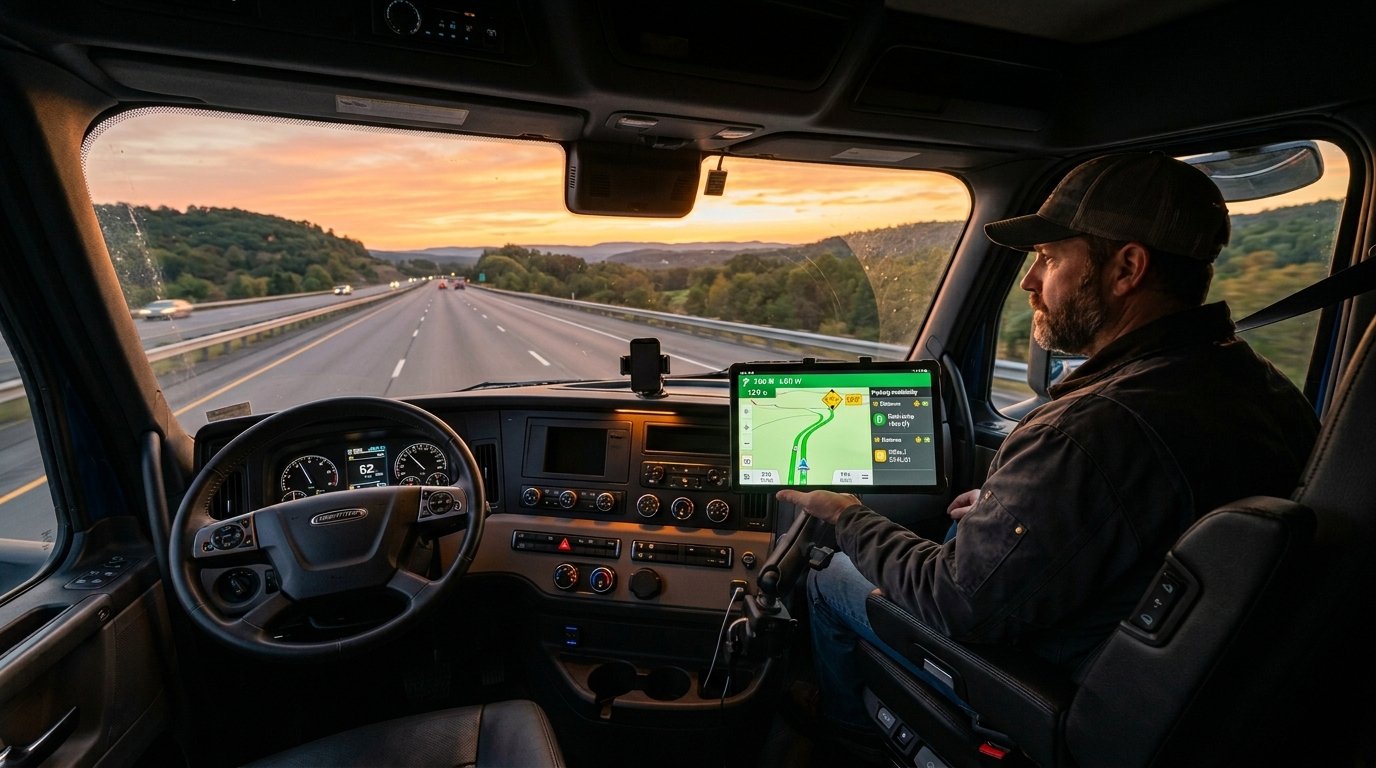
A wrong turn guided by a regular GPS can send your semi truck straight under a low bridge. That single mistake costs thousands in damage and can end careers. The right truck GPS app prevents these disasters every day on roads across America.
This guide covers the best trucking apps for navigation and parking in 2026. You will learn which trucker navigation apps work best for your rig, your routes, and your budget. Whether you run a commercial truck for a carrier or drive as an owner-operator, this article gives you everything you need.
For a broader look at every tool a driver needs, check out our full list of best trucking apps.
Key Takeaways
- A dedicated truck GPS app routes you around low bridges, weight restrictions, and narrow roads that can trap your rig.
- The best truck parking apps help you find safe parking and rest areas before you run out of driving hours.
- Free options exist for both Android and iPhone, but paid apps typically deliver better routing accuracy.
- Garmin devices still compete with app-based commercial truck GPS navigation tools in 2026.
- Pairing a truck routing app with a parking finder solves your two biggest daily challenges on the road.
Why Every Trucker Needs a Dedicated Truck GPS App
Regular GPS navigation apps like Google Maps and Waze are built for cars. They do not account for truck height, weight, or length. That makes them dangerous for trucking professionals behind the wheel of a big rig.
A truck GPS app filters every route based on your vehicle profile. It warns you about low bridges, sharp turns, and roads with weight restrictions. It also shows truck-legal routes that keep you compliant with DOT regulations at all times.
The Federal Motor Carrier Safety Administration tracks approximately 14,500 bridge strike incidents annually as of 2022 NHTSA data referenced in recent 2026 FMCSA-related reports, with numbers ranging 11,000-18,000 yearly from 2012-2021. Many of these happen because drivers rely on standard navigation tools. A commercial truck GPS navigation app eliminates most of that risk before you even leave the lot.
Truck routes also matter for fuel efficiency. A car GPS might send you on a shorter path with steep grades and tight turns. A trucker route planner picks roads your rig can handle smoothly. That saves fuel, time, and wear on your equipment.
Beyond navigation, your safety depends on smart route choices. Read our guide on truck driver safety tips to protect yourself on every haul.
Best Truck GPS Apps for 2026
The market has exploded with choices. Some apps charge a fee while others offer solid free versions. Here are the options that real truckers use and trust right now.
Best Truck GPS App 2026 — Top Paid Options
These apps charge a subscription or one-time fee. In return, they offer the most accurate truck routing and detailed road data available.
| App Name | Platform | Price (2026) | Key Feature |
|---|---|---|---|
| CoPilot Truck | Android, iPhone | $10-15/month | Offline truck GPS maps |
| Sygic Truck GPS | Android, iPhone | €84.99/year (~$90 USD) [web:32] | 3D truck navigation |
| Hammer GPS | Android | $4.99-$49.99/year subscription | Custom vehicle profiles |
| Garmin Dezl App | Android, iPhone | Free app (requires Garmin device) | Pairs with Garmin devices |
| TruckMap | Android, iPhone | Free/Premium $10/mo | Truck stops and fuel prices |
CoPilot Truck remains a top pick for 2026. It offers offline truck GPS maps so you stay on route even without cell service. You enter your truck height, weight, and load type. The app then builds routes around your exact vehicle specs.
Sygic Truck GPS is another strong choice for drivers who want visual clarity. It provides 3D views of complex intersections and supports hazmat routing. If you haul dangerous goods, this app keeps you on approved roads automatically.
Hammer GPS has grown its user base quickly over the past two years. It focuses on custom vehicle profiles and real-time road updates from other drivers. Truckers praise its clean interface and accurate truck navigation data.
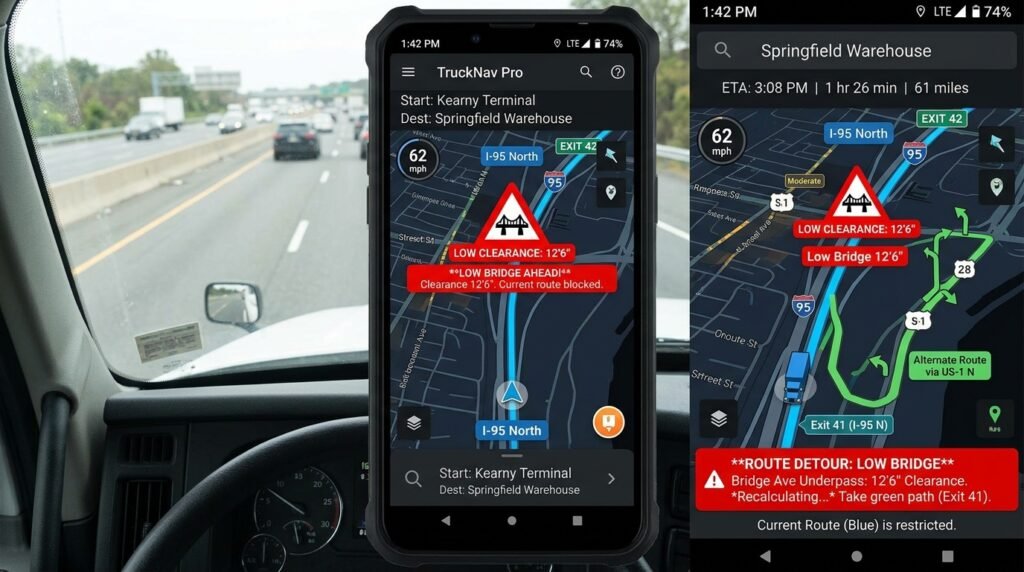
Free Truck GPS Apps for Android
Not every driver wants to pay for navigation. These free truck GPS apps for Android get the job done without draining your wallet.
- TruckMap — Free basic version with truck routes, fuel prices, and truck stop information. The premium version adds more advanced features for power users.
- Trucker Path — Known primarily as a parking finder, but it also offers basic truck navigation and routing. Read our full Trucker Path app review for a detailed breakdown.
- Google Maps (Truck Mode) — Google Maps does NOT have dedicated truck routing features in 2026. It lacks truck height, weight, length input, and does not filter low bridges, weight restrictions, or hazmat routes. Use only as backup for basic navigation. It still lacks the depth of dedicated trucker navigation apps, but it works when you need a quick backup.
The best free truck driver apps usually come with trade-offs you should know about. Free versions may show ads, limit route options, or lack offline truck GPS support. For new drivers or those on a tight budget, they still provide solid value for daily use.
Semi Truck GPS App for iPhone
iPhone users have fewer choices than Android users in the trucking app space. But several strong options exist that work great on iOS.
- CoPilot Truck — Available on iOS with full truck routing app features and offline maps.
- Sygic Truck GPS — Works well on iPhone with downloadable offline map packs.
- TruckMap — Free version available on iOS with basic navigation and truck stop data.
- Garmin Dezl App — Works best if you already own a Garmin device for your dash.
Check Apple App Store reviews to compare ratings before you download anything. Look for apps updated within the last six months. Outdated apps may rely on old road data that can send you toward a closed road or restricted bridge.
Top Truck Parking Apps to Find Safe Parking
Finding safe parking ranks as the number one daily headache for truckers across the country. The shortage of truck parking spots in the U.S. is well documented by federal agencies. The Federal Highway Administration reports that demand for truck parking far exceeds supply in most states. (FHWA Truck Parking Information)
Truck Parking Apps to Find Safe Parking — Top Picks
These truck parking apps show you open spots, reviews from other drivers, and real-time availability updates.
| App Name | Cost | Best Feature |
|---|---|---|
| Trucker Path | Free | Largest community-reported parking data |
| TruckPark | Free/Premium | Real-time availability at partner lots |
| Park My Truck | Free | Simple interface with quick search |
| TruckMap | Free/Premium | Combined parking and truck navigation |
| DAT Trucker | Free | Parking data plus load board access |
Trucker Path leads the pack in the truck parking apps category. Drivers report open spots and share honest reviews of rest areas and truck stops. The community-driven data model makes it the most reliable parking finder available today.
TruckPark takes a different approach. It partners directly with parking facilities to show real-time spot counts. You can even reserve a parking spot in advance at some locations. This feature saves you from circling a dark lot at midnight hoping for one opening.
DAT Trucker serves double duty. It shows parking data alongside load board listings. Owner-operators who need both tools can save phone storage by using one app instead of two.
Warning: Running out of driving hours without a parking spot puts you in a dangerous and illegal position. Pair your truck parking apps with your knowledge of hours of service rules to plan your stops well in advance.
Truck Routing Navigation Apps Worth Trying
Some apps focus purely on getting your route right. They skip parking and fuel features but deliver truck routing accuracy that is hard to beat.
PC*MILER is the gold standard in the trucking industry. Many carriers and dispatchers rely on it for route planning and mileage calculations. The mobile version gives drivers access to the exact same data their dispatch team uses back at the office.
Route4Trucks offers a clean, simple interface built entirely for commercial truck navigation. You enter your vehicle specs once. The app builds compliant routes every single time you search a new destination.
ALK CoPilot Truck (now under Trimble) bundles routing with fuel cost optimization. It calculates the cheapest fuel stops along your planned route. Pairing this tool with a fuel discount app can save you hundreds of dollars each month.
Each of these truck routing navigation apps handles route calculations differently. Some prioritize shortest distance. Others focus on avoiding tolls or steep mountain grades. Pick the one that matches how you actually drive day to day.
Key Features to Look for in Trucker Navigation Apps
Not all trucker navigation apps deliver the same quality. Here are the features that separate a good app from a great one on the road.
Low Bridge Clearance GPS and Weight Restrictions
A low bridge clearance GPS feature is absolutely non-negotiable for any semi truck GPS app. Your app must know your truck’s exact height and alert you well before you reach a bridge you cannot clear safely.
Weight restrictions matter just as much as height limits. Many roads and bridges have posted load limits that vary by season. A quality truck GPS app checks these limits against your entered weight and reroutes you automatically when needed.
Look for apps that update bridge and weight data frequently through the year. Road construction projects change clearance heights regularly. An app running on old data can still route you straight into a costly problem.
For safe driving on difficult terrain, see our tips on mountain driving for trucks.
Hazmat Routing App Features
If you carry hazardous materials, you need a hazmat routing app built directly into your navigation tool. The FMCSA requires hazmat loads to follow specific approved routes. (FMCSA Hazmat Safety)
These designated routes avoid tunnels, densely populated areas, and certain bridges with restrictions. A standard truck GPS app may not filter for hazmat compliance by default. Always check that your app has a hazmat toggle before you haul any restricted loads.
Some apps like Sygic let you specify the exact class of hazmat material. This gives you routes tailored not just to general hazmat rules but to your specific cargo type.
Offline Truck GPS Capabilities
Cell service drops out in rural areas, mountain passes, and some highway corridors across the country. An offline truck GPS feature keeps your navigation running strong when your phone signal dies completely.
CoPilot Truck and Sygic both offer full offline maps you can count on. You download map packs for your driving region before you leave the truck stop. This guarantees you always have truck navigation even without any data connection.
Most free apps do not include offline maps as part of their basic package. If you drive through areas with weak or spotty cell coverage, a paid app with offline support is worth every penny of the subscription cost.
Garmin vs. App-Based Commercial Truck Navigation
The debate between dedicated Garmin hardware and smartphone truck GPS apps continues strong into 2026. Both options have real advantages worth considering.
Garmin Dezl OTR1020 (latest 2026 model) — $499-$599 USD for the 10-inch flagship with custom truck routing, high-res satellite imagery, wind alerts, CAT Scale locator, and dēzl app community integration. Pairs perfectly with the free companion app.
Smartphone-based truck GPS apps offer more flexibility and lower entry costs. You update them instantly through your app store. You can switch freely between apps for navigation, parking, and fuel on one device. Your phone is always with you wherever you go.
Here is a quick comparison to help you decide:
| Feature | Garmin Dezl | Smartphone Apps |
|---|---|---|
| Screen Size | 7-8 inches dedicated | Varies by phone model |
| Offline Maps | Built in | Select apps only |
| Software Updates | Periodic downloads | Frequent and automatic |
| Cost | $300-$500+ for device | Free to $15/month |
| Durability | Built for truck environments | Phone may overheat on dash |
| Multi-tasking | Navigation only | Navigation, calls, music, and more |
Many experienced drivers use both together. They mount a Garmin unit for primary truck navigation and keep a truck GPS app on their phone as a reliable backup. This dual setup covers you in almost every driving situation.
If you manage a fleet of trucks, dedicated GPS hardware may integrate better with your systems. Learn more in our GPS fleet tracking guide.
How to Pick the Right Truck Routing App
With so many options on the market, choosing the right tool feels overwhelming. Follow these simple steps to narrow down your choice quickly.
- List your must-have features. Do you need offline truck GPS support? Hazmat routing compliance? A built-in parking finder? Write down your requirements before you start browsing.
- Match your vehicle type. Some apps work better for semi truck rigs. Others suit box trucks, straight trucks, or RVs more effectively.
- Set a realistic budget. Decide if you want a free truck GPS solution or if you can invest in a premium subscription that offers more accuracy.
- Read real driver reviews. Pay attention to what actual truckers report about accuracy and usability. Ignore marketing claims and focus on verified user feedback.
- Test before you commit. Most paid apps offer free trial periods. Use them on your real-world routes before you pay for a full year subscription.
- Check update frequency. An app that updates its road data quarterly is better than one that updates once a year. Fresh data means safer routes.
Your needs will change over time as your career evolves. A local driver may not need offline truck GPS capabilities. An OTR driver absolutely does. If you are exploring long-haul work, check out OTR trucking jobs to understand what the role demands from your tech setup.
Pro Tip: Download two or three apps and compare their suggested routes for the exact same trip. The app that gives you the safest, most fuel-efficient route consistently earns your paid subscription.
Get the Most Out of Your Truck Navigation
Downloading a great app is just the first step. Here is how to squeeze maximum value from your truck navigation tools every single day.
Enter your truck specs with precision. Your height, weight, length, and number of axles all affect routing decisions. Wrong data typed into the app leads to wrong routes on the road. Double-check these numbers when you switch trailers or rigs.
Update your app regularly. Road conditions change with every season. New construction projects pop up weekly. Bridge clearance heights shift during maintenance work. Keep your app updated so you always receive the latest and most accurate data.
Combine multiple tools for full coverage. Use a truck GPS app for navigation, a truck parking app for finding stops, and a trucking log book app for compliance tracking. Together, these tools make every workday smoother and more productive.
Plan your complete route before you start driving. Never set up your navigation while rolling down the highway. Pull over somewhere safe, enter your destination, review the entire suggested route carefully, and then start driving.
Trust the app, but always use your own eyes. No app is perfect 100% of the time. If a road looks wrong, a bridge looks too low, or signage says otherwise, stop and verify before proceeding. Your experienced judgment beats any algorithm.
Report errors when you find them. Most apps let you flag bad data with a quick tap. When you report a routing issue, you help every single trucker who drives that same route after you. The community gets stronger when drivers contribute.
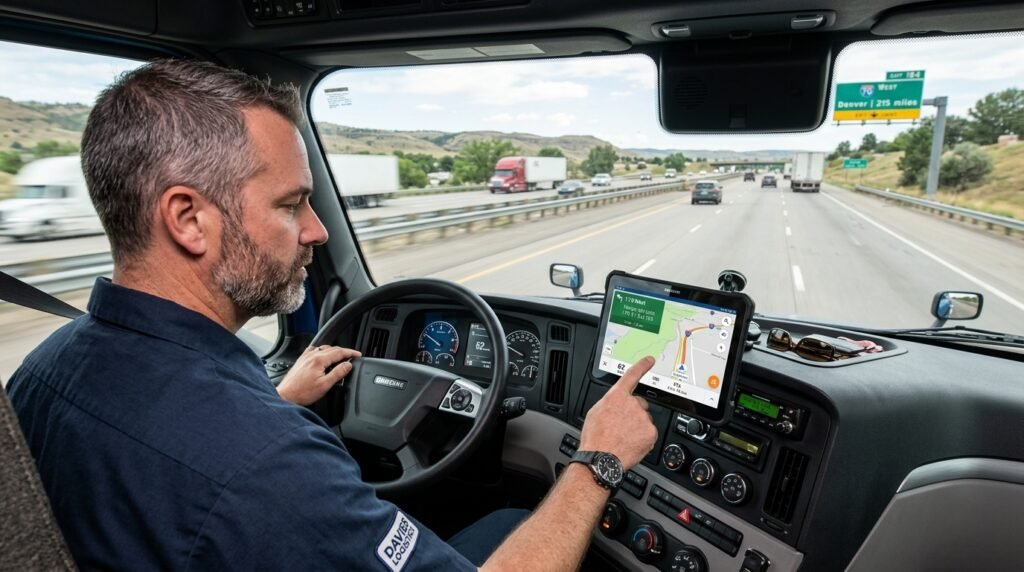
Trucker Path Alternatives for 2026
Many drivers start their journey with Trucker Path but eventually want to explore other options. Here are solid Trucker Path alternatives worth testing in 2026.
- TruckMap — Combines truck navigation, parking data, fuel prices, and weigh station information in one clean app. Its user interface feels more modern and less cluttered than Trucker Path.
- DAT Trucker — Best suited for owner-operators who want navigation features alongside load board access in a single app. See our top load board apps reviewed for more options in that space.
- Hammer GPS — Focused purely on navigation accuracy and nothing else. No social features, no clutter, just reliable truck routes and clear directions.
- CoPilot Truck — Best choice for drivers who absolutely need offline truck GPS and professional-grade routing for their daily work.
Each alternative has its own strengths and weaknesses. Your best choice depends on what matters most to you personally — pure navigation accuracy, comprehensive parking data, fuel savings tools, or all-in-one convenience.
The FMCSA provides additional resources on safe driving practices and route compliance that complement any app you choose. (FMCSA Driver Safety)
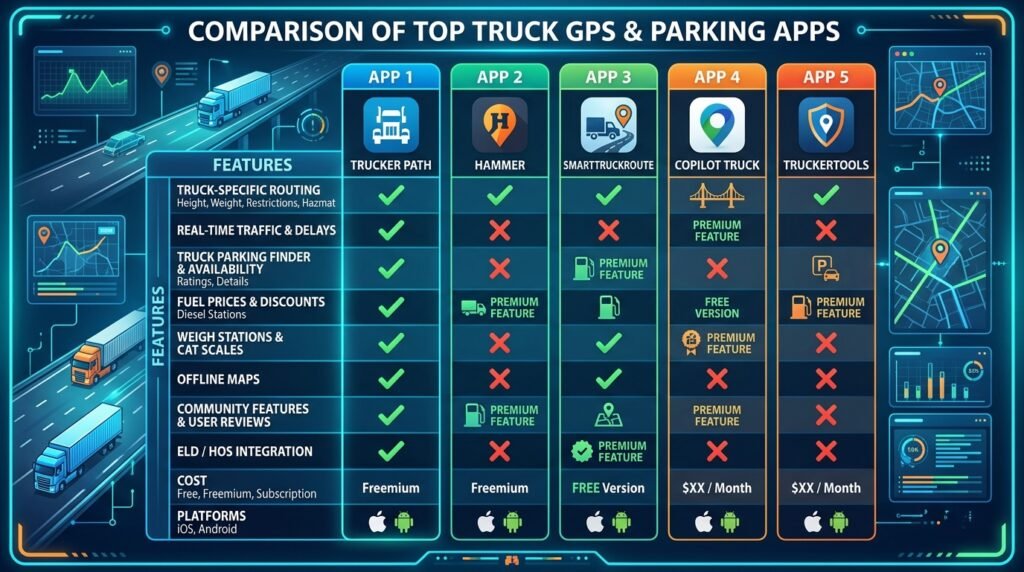
Frequently Asked Questions
Yes. Several truck GPS apps exist specifically for professional truck drivers. Apps like CoPilot Truck, Sygic Truck GPS, TruckMap, and Hammer GPS all offer truck navigation with route filtering based on height, weight, and length. These tools keep you off roads that are unsafe or illegal for commercial trucks. Some are completely free while others charge a monthly or annual subscription fee.
TruckMap is one of the best free truck GPS options currently available. It offers basic truck routing, fuel price comparisons, and truck stop data at no cost. Trucker Path also provides free navigation features alongside its popular parking finder tool. Keep in mind that free truck GPS apps for Android and iPhone often lack offline maps and the most advanced routing features that paid versions include.
You do not always need a completely separate app. Some truck GPS apps like TruckMap include built-in parking finder features. However, dedicated truck parking apps like Trucker Path and TruckPark offer more detailed parking data, real-time spot availability, and honest driver reviews. If finding safe parking is a major daily challenge for you, a dedicated parking app is worth having on your phone.
It depends on your priorities and budget. Garmin Dezl devices offer large dedicated screens, purpose-built hardware, and strong reliability without draining your phone battery. Smartphone truck GPS apps offer more flexibility, lower overall cost, and more frequent software updates. Many experienced truckers use both — a Garmin on the dash and a phone app as backup.
Google Maps has added some basic truck routing features in recent years. Google Maps has NO truck routing features in 2026. However, it still does not reliably filter for low bridges, weight restrictions, or hazmat routing requirements. Always use a dedicated truck GPS app for professional commercial truck driving to stay safe and compliant.
Look for low bridge clearance GPS alerts, weight restriction warnings, truck routes filtering, offline truck GPS map downloads, rest areas and parking data integration, and fuel price comparisons along your route. If you haul hazmat, confirm the app supports hazmat routing compliance. A great app should also let you save multiple vehicle profiles for different rigs and trailer configurations.
Conclusion
The right truck GPS app keeps you safe, legally compliant, and on schedule every single day. It steers you away from low bridges and roads with weight restrictions that could stop your trip cold. The best truck parking apps help you find safe parking when you need it most — before your hours run out.
In 2026, drivers have more choices than ever before. Apps like CoPilot Truck, TruckMap, Sygic, and Hammer GPS lead the truck navigation space with reliable, truck-specific routing. For parking, Trucker Path and TruckPark remain the top picks trusted by thousands of drivers daily.
Start by picking one truck GPS app and one parking finder app. Test them on your actual routes over a full week. Adjust your choice based on what works best for your specific rig, cargo type, and driving style.
Pair your navigation tools with a quality ELD device to stay fully compliant with every federal regulation on the road.
Based on available information at the time of writing. Check each app’s official website for current pricing, features, and download availability. Rates and features may change without notice.
Last updated: March 2026
GPS App Comparison Tool







![DOT Drug Test: What You Must Know in 2026 [Full Guide]](https://compliantdriversprogram.com/wp-content/uploads/2026/03/DOT-Drug-Test-150x150.jpeg)



Leave a Reply