

You just wrapped up a brutal week on the road. Your 70 hour limit is almost gone, and you’re staring at your ELD wondering how you’ll finish that last load. Sound familiar? Here’s the good news: the 34 hour restart rule exists exactly for moments like this.
This single rule can give you back your entire weekly driving clock. But most truck drivers don’t fully understand how it works or when to use it strategically. They end up either wasting valuable hours or accidentally violating hours of service rules without realizing it.
In this guide, you’ll learn exactly how the 34 hour restart works, the specific requirements you must meet, and practical strategies to use it like a pro. We’ll also cover common mistakes that trigger violations and cost drivers thousands in fines. By the end, you’ll know exactly when to take your reset and how to maximize every driving hour you’ve got.
What Exactly Is the 34 Hour Restart Rule?
The 34 hour restart is your ticket to getting back a full week of driving hours. It’s part of the federal hours of service rules that the FMCSA created to keep roads safe and drivers healthy.
Here’s the simple version: after taking 34 consecutive off duty hours, your weekly driving clock resets completely. Those 60 or 70 hours you’ve been burning through? They go back to zero. You start fresh like it’s day one of your work week all over again.
Think of it like hitting a reset button on a video game. All your previous time disappears, and you get a clean slate. The catch is that you must stay completely off duty for that entire 34-hour window. No driving, no on-duty work, nothing that counts against your clock.
Most drivers operate under either a 60-hour/7-day or 70-hour/8-day limit. The weekly restart applies to both situations. Once you complete your off duty period correctly, you can drive as if you haven’t worked at all that week.
Why the 34 Hour Reset Matters for Your Career
Here’s the thing: this rule directly affects your paycheck, your safety, and your compliance record. Understanding it isn’t optional if you want to succeed as a professional driver.
Let’s talk money first. Every hour you can’t drive is an hour you’re not earning. When you strategically use your 34 hour reset, you maximize the loads you can haul each week. Drivers who plan their restarts poorly leave thousands of dollars on the table every year.
Safety comes next. Fatigue is a real killer in trucking. The restart requirement forces you to take meaningful rest before getting back behind the wheel. According to the Federal Motor Carrier Safety Administration, drowsy driving contributes to a significant percentage of commercial vehicle crashes. Your weekly reset helps prevent you from becoming a statistic.
Then there’s your compliance record. Mess up your restart, and you’re looking at violations that follow you for years. Those violations affect your CSA score, your ability to get hired, and your insurance rates. Learn the rules now, and you’ll avoid expensive problems later.
How Does the 34 Hour Restart Work Step by Step
Let’s break down exactly how does 34 hour restart work in real-world situations. This isn’t complicated once you see it laid out clearly.
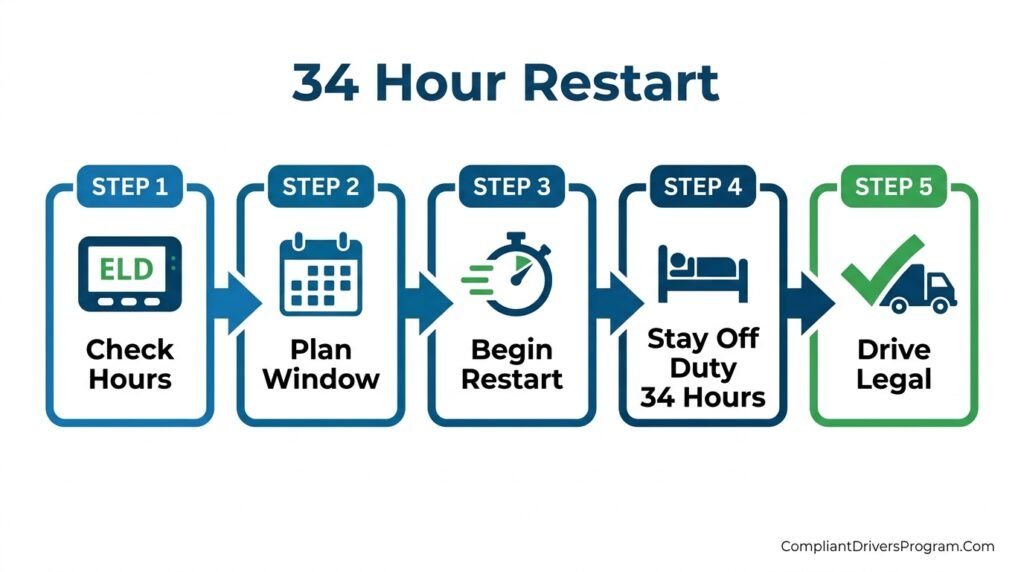
Step 1: Check Your Current Hours
First, look at your ELD or logbook. How many hours have you used in your current 7 or 8-day period? You don’t need to take a restart until you’re running low on available time. Some drivers take unnecessary restarts when they still have plenty of hours left.
Step 2: Find Your Restart Window
You need 34 consecutive hours completely off duty. This means you can be in sleeper berth status, off duty, or a combination. But you cannot do any work, driving, or on-duty activities during this time.
Step 3: Document Your Start Time
Note exactly when your restart begins. Your ELD should track this automatically, but knowing your start time helps you plan when you’ll be legal to drive again.
Step 4: Complete the Full 34 Hours
Stay off duty for the entire period. If you do any work during this window, even small tasks, your restart breaks. You’d have to start the whole 34-hour count over again from that point.
Step 5: Return to Work With a Fresh Clock
After 34 hours pass, your weekly hours reset to zero. You now have your full 60 or 70 hours available again. Your 14 hour rule and 11 hour limit still apply daily, but your weekly bucket is completely full.
Current 34 Hour Restart Requirements You Must Follow
The restart requirements changed over the years, so let’s clarify exactly what’s required right now. Some old rules were officially suspended, making the current version simpler than before.
The Active Requirements:
You must take 34 consecutive hours off duty. That’s the core requirement that never changed. This time must be continuous without any interruption for work activities.
You can split this time between off-duty and sleeper berth status. Many drivers use a combination when parking at truck stops or rest areas. Both statuses count toward your 34 hours equally.
What’s No Longer Required:
The FMCSA previously required your restart to include two periods between 1 AM and 5 AM. This rule was officially suspended in 2014 and has not returned. You don’t need to worry about overnight timing anymore.
There was also a once-per-week limit on restarts at one point. That restriction is also gone. You can technically take multiple restarts in a week if your schedule allows, though this rarely makes practical sense for most drivers.
Pro Tip: Double-check with your carrier about any company-specific restart policies. Some fleets have stricter internal rules than federal requirements demand.
Strategic Ways to Use Your Weekly Reset
Smart drivers don’t just take restarts randomly. They plan them strategically to maximize earnings and maintain compliance. Here are approaches that successful drivers use.
Plan Around Your Home Time
If you’re an OTR vs home daily driver, coordinate your restart with home visits. You’re going to be home anyway, so let that time count toward your 34 hour reset. This way, you don’t waste potential driving hours sitting at a truck stop.
Time Your Restart for Morning Departures
Calculate backwards from when you want to start driving. If you want to leave at 6 AM Monday, your restart must begin no later than 8 PM Saturday. Planning this way ensures you’re ready to roll when loads are available.
Avoid Peak Traffic Restart Timing
Don’t schedule your restart to end during rush hour in busy areas. You’ll lose valuable driving time sitting in traffic right when your fresh hours begin. Aim to start driving when roads are clearer.
Combine With Maintenance Time
Need your truck serviced? Schedule maintenance during your restart window. You’re off duty anyway, so get oil changes, tire rotations, or inspections handled without losing productive driving time.
Common 34 Hour Restart Mistakes That Cause Violations
Even experienced drivers mess up their restarts sometimes. These mistakes lead to violations that affect your record and wallet. Learn from others’ errors so you don’t repeat them.
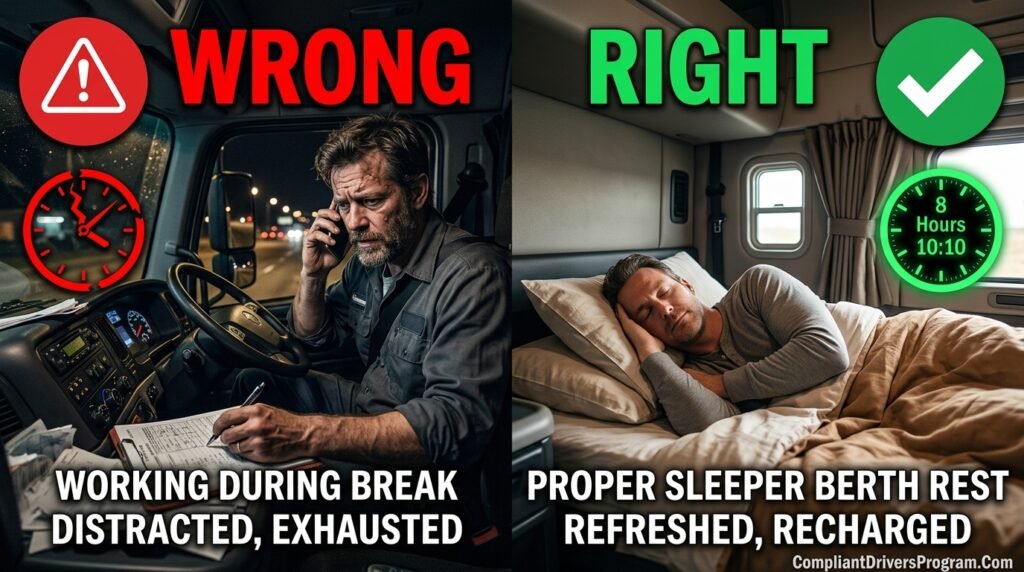
Mistake 1: Working During Your Restart
This is the biggest problem drivers face. You’re 30 hours into your restart, and dispatch asks you to check your trailer. You do it, thinking it’s no big deal. Wrong. That on-duty time just broke your restart, and you need to start over.
Mistake 2: Miscounting Your Hours
Math errors happen, especially when you’re tired. Some drivers think 34 hours means “a day and a half” and eyeball it. Always use your ELD calculations or do the actual math. Being off by even an hour means your restart didn’t complete.
Mistake 3: Not Recording Properly
Your trucking log book apps or ELD must show your restart clearly. If your records don’t demonstrate 34 consecutive off-duty hours, you can’t prove you completed the restart. Poor documentation looks just like a violation during inspections.
Mistake 4: Assuming Personal Conveyance Counts
Driving for personal reasons during your restart seems harmless, but it creates confusion in your logs. While personal conveyance is technically off-duty, some enforcement officers scrutinize these entries heavily during restarts.
Avoiding these mistakes keeps your record clean. Check out our guide on ELD and HOS violation fines to see exactly what these errors can cost you.
How the 34 Hour Restart Connects to Other HOS Rules
Your HOS restart doesn’t exist in isolation. It’s one piece of a larger hours of service rules puzzle that all works together.
The 70 Hour Connection
Most interstate drivers operate under the 70 hour rule trucking limit. This means you can’t be on duty more than 70 hours in any 8-day period. The 70 hour reset happens when you complete your 34-hour restart, bringing you back to zero.
Daily Limits Still Apply
Even after a restart, you’re still bound by the 11-hour driving limit and 14-hour duty window each day. Your restart refreshes weekly hours but doesn’t change daily restrictions.
Sleeper Berth Integration
Understanding sleeper berth rules helps you use your restart time effectively. You can spend your 34 hours in the sleeper, which is perfect for drivers who live in their trucks.
Exception Awareness
Certain HOS exceptions for truckers might affect how restarts work for you. Short-haul drivers, agricultural haulers, and emergency responders have different rules that modify standard restart requirements.
What Happens If You Don’t Take a 34 Hour Restart
You’re not required to take restarts. Some drivers prefer to manage their hours without ever doing a weekly restart. Here’s what that looks like and when it makes sense.
Rolling Hours Method
Instead of resetting, you let old hours “roll off” as new days arrive. Under the 8-day/70-hour rule, hours you worked 8 days ago drop from your available count each day. This gives you back small amounts of time daily rather than everything at once.
When Rolling Hours Works Better
This method suits drivers who can’t take 34 consecutive hours off easily. Team drivers, short-haul operators, and those with unpredictable schedules often prefer rolling hours. You never lose an entire day-plus to a restart.
When You Should Definitely Restart
If you’ve been running hard and your hours are nearly exhausted, a restart makes more sense than waiting for slow trickle-back. The restart gives you everything at once, so you can handle big loads immediately.
Maximizing Rest Quality During Your 34 Hour Reset
Taking 34 hours off duty is only valuable if you actually rest during that time. Poor quality rest defeats the safety purpose of the rule.
Sleep Strategy

You’ll likely sleep more than once during a 34-hour period. Aim for at least two solid 7-8 hour sleep sessions. Read our sleep tips for truck drivers for proven strategies to get quality rest in your cab.
Watch for Sleep Issues
If you’re consistently tired even after restarts, you might have a sleep disorder. Sleep apnea and CDL requirements are real, and undiagnosed conditions can make you dangerous on the road regardless of how many hours you rest.
Combat Driver Fatigue
Use your restart time for activities that genuinely refresh you. Exercise, eat well, connect with family, and avoid staring at screens the entire time. Our truck driver fatigue guide explains why recovery activities matter so much.
34 Hour Restart vs Other Reset Options Comparison
| Reset Type | Time Required | What Resets | Best For |
|---|---|---|---|
| 34 Hour Restart | 34 consecutive hours | Full weekly hours | Drivers needing complete reset |
| 10 Hour Break | 10 consecutive hours | Daily driving/duty limits | Daily compliance |
| Rolling Hours | Ongoing daily | Small amounts daily | Consistent schedules |
| Sleeper Split | 7/3 or 8/2 hour splits | Daily limits only | Team or flexible drivers |
Your ELD and the 34 Hour Restart Rule
Your ELD mandate device does most of the restart tracking work for you. But you still need to understand what it’s calculating.
Automatic Tracking Features
Most best ELD devices show your available hours and will indicate when you’re eligible for a restart. They count your consecutive off-duty time and display when 34 hours complete.
Reading Your ELD Correctly
Learn where your specific device shows restart status. Some show it on the main screen, others require menu navigation. Don’t assume you’ve completed a restart without verifying on your device.
Manual Log Backup
Even with electronic logging, understand how to calculate restarts manually. ELDs malfunction sometimes, and you need to verify their calculations are correct. A basic understanding protects you during inspections.
Frequently Asked Questions About the 34 Hour Restart Rule
A: You need exactly 34 consecutive hours in off-duty or sleeper berth status. This equals one day plus 10 hours.
A: No. Any on-duty work breaks your restart, and you must start the 34-hour count over completely.
A: No. The 1 AM to 5 AM requirements were officially suspended in 2014 and remain inactive.
A: There’s no federal limit on restart frequency. You can take one whenever you have 34 consecutive off-duty hours.
A: They’re the same thing. The 34 hour restart is the method that resets your 60 or 70-hour weekly limit.
A: Yes. Sleeper berth and off-duty time both count toward completing your restart requirement.
A: No. Restarts are optional. You can use the rolling hours method instead if it suits your schedule better.
Putting Your 34 Hour Restart Knowledge Into Action
You now understand everything about the 34 hour restart rule that matters for daily operations. Here’s what to remember:
- The restart requires 34 consecutive hours completely off duty
- Completing it resets your full weekly driving hours to zero
- No overnight timing requirements currently exist
- Any work during the restart period breaks it and forces you to start over
- Strategic planning maximizes the value of each restart you take
Your next step is simple: look at your current schedule and identify where restarts fit best. Consider your home time, preferred departure times, and load availability. Understanding DOT regulations for truck drivers like this one keeps you compliant, safe, and earning.
This article provides general information about FMCSA regulations. Rules can change, so verify current requirements with official sources before making compliance decisions.
Restart Calculator Tool







![DOT Drug Test: What You Must Know in 2026 [Full Guide]](https://compliantdriversprogram.com/wp-content/uploads/2026/03/DOT-Drug-Test-150x150.jpeg)



Leave a Reply