

One missing document can trigger thousands of dollars in fines during a DOT audit. Investigators do not care if you “had it somewhere.” If you cannot produce the right records on demand, you fail. Many trucking companies lose their safety rating not because of violations on the road — but because of missing paperwork in the office.
DOT recordkeeping is one of the most overlooked parts of running a trucking company. This guide breaks down every record you must keep, how long to store each one, and how to build a system that keeps you audit-ready at all times. Whether you are a new carrier or an established fleet, these FMCSA recordkeeping regulations apply to you.
If you are still learning the basics of federal motor carrier safety regulations, start with our DOT compliance for trucking guide for a broad overview of what every carrier must do.
Key Takeaways
- DOT recordkeeping rules come from FMCSA regulations under Title 49 of the Code of Federal Regulations (CFR).
- Retention periods range from 3 months for DVIRs to 5 years for positive drug test results.
- Driver qualification files must be kept while a driver works for you, plus 3 years after they leave.
- The FMCSA accepts electronic records if they meet specific format and access standards.
- Poor recordkeeping is one of the top reasons trucking companies fail DOT audits.
What Is DOT Recordkeeping?
DOT recordkeeping refers to the federal requirement for motor carriers to create, maintain, and store specific documents. These records prove your company follows safety rules set by the Federal Motor Carrier Safety Administration (FMCSA).
Every commercial motor vehicle (CMV) operation generates records. Driver applications. Medical certificates. Hours of service logs. Vehicle inspections. Drug tests. The FMCSA expects you to keep all of them organized and ready for review.
Think of DOT recordkeeping as your company’s paper trail. It proves you hire qualified drivers, maintain safe vehicles, and follow federal regulations. Without it, you have no defense during an audit or lawsuit.
This is not just about following rules. Strong trucking records compliance protects your business. It keeps your safety rating intact, your insurance rates lower, and your trucks on the road.
FMCSA Regulations That Govern Trucking Records
The FMCSA does not have one single “recordkeeping rule.” Instead, requirements are spread across multiple parts of Title 49 of the Code of Federal Regulations. Here are the key sections every trucking company must know.
49 CFR Part 391: Driver Qualification Files
This part requires you to maintain a driver qualification file for every driver you employ. Each file must contain specific documents like the driver’s application, MVR, medical certificate, and road test results.
You must keep these files while the driver works for you. After a driver leaves, you must store the file for 3 more years. Get the full breakdown in our driver qualification file guide.
49 CFR Part 395: Hours of Service Records
Part 395 covers hours of service (HOS) documentation. You must keep copies of each driver’s daily logs or electronic logging device (ELD) data. The file retention period for these records is 6 months.
49 CFR Part 396: Vehicle Inspection and Maintenance
This section covers driver vehicle inspection reports (DVIRs) and maintenance records. You must keep DVIRs for at least 3 months. Vehicle maintenance records must stay on file while you control the vehicle, plus 1 year after you dispose of it.
49 CFR Part 382: Drug and Alcohol Testing
Part 382 requires you to keep drug and alcohol testing records. Retention periods vary based on the test result. Positive results must be stored for 5 years. Negative results only need 1 year of storage.
49 CFR Part 390: Accident Records
You must maintain an accident register for every accident that meets DOT reporting thresholds. Keep these records for 3 years after the accident date.
Complete List of Records Every Carrier Must Keep
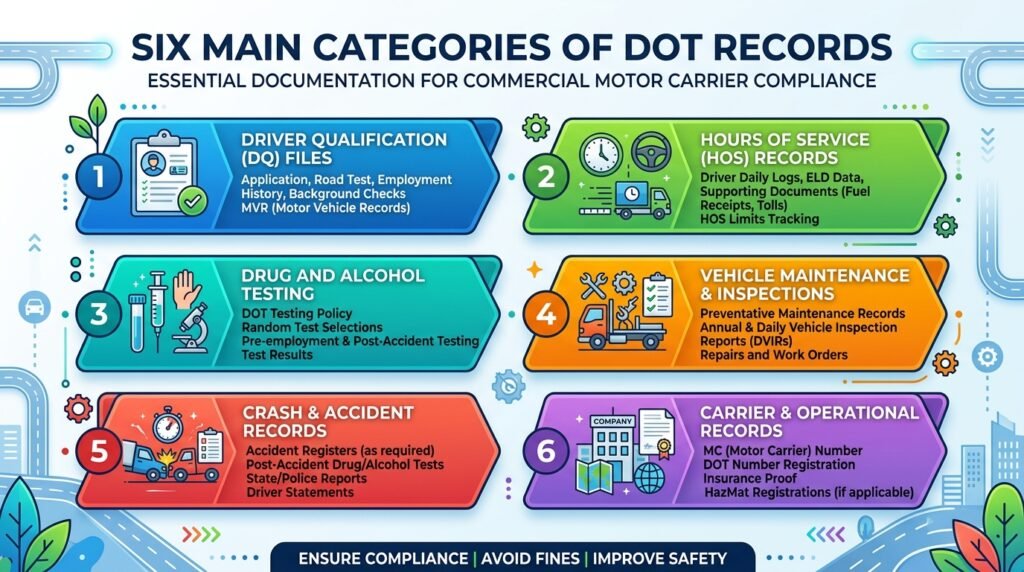
DOT compliance requirements cover several categories of trucking company records. Below is a complete breakdown organized by type.
Driver Qualification File Documents
Each driver must have a complete qualification file on hand. Required documents include:
- Driver’s application for employment (DOT-specific format)
- Motor vehicle record (MVR) from each state the driver held a license in the past 3 years
- Annual MVR review and certification
- Medical examiner’s certificate (must be current)
- Road test certificate or equivalent
- Annual driver’s certification of violations
- Previous employer safety performance history (covering the past 3 years)
- Skill performance evaluation certificate (if applicable)
Missing even one document makes the file incomplete. An incomplete file counts as a violation during any compliance review. Learn how MVR checks factor into this in our MVR record check for CDL article.
Hours of Service and ELD Records
You must keep daily HOS records for every driver operating a CMV. These include:
- ELD data files and supporting documents
- Driver’s daily log originals or electronic copies
- Records of duty status (RODS)
- Supporting documents such as fuel receipts, toll receipts, and dispatch records
The FMCSA requires most carriers to use ELDs. Read our ELD mandate guide to find out if your fleet qualifies for any exemptions.
Vehicle Inspection and Maintenance Records
Safe vehicles start with good commercial motor vehicle documentation. Required records include:
- Pre-trip and post-trip driver vehicle inspection reports (DVIRs)
- Annual vehicle inspection reports (with inspector certification)
- Maintenance and repair records for each unit
- Written systematic vehicle maintenance plan
DVIRs are a daily requirement. Drivers must complete them before and after each trip. Learn the full process in our DVIR requirements guide.
Drug and Alcohol Testing Records
FMCSA-regulated drug and alcohol testing produces many audit documents. You must store:
- Pre-employment test results
- Random test results
- Post-accident test results
- Reasonable suspicion test results
- Return-to-duty and follow-up test results
- Refusal-to-test documentation
- Substance abuse professional (SAP) evaluation reports
- Driver education materials and training records
The FMCSA provides detailed guidance on drug and alcohol testing requirements for all regulated carriers.
Accident Register and Records
You must keep an accident register that logs every qualifying DOT accident. Each entry should include:
- Date and time of the accident
- City and state where it happened
- Driver’s name
- Number of injuries and fatalities
- Whether hazardous materials were released
- A brief description of what happened
Additional Company Records
Beyond the main categories, keep these on file as well:
- Proof of insurance (minimum liability coverage)
- Vehicle registration and lease agreements
- Hazardous materials shipping documents (if applicable)
- DOT number and operating authority documentation
- Copies of any FMCSA correspondence or audit results
How Long Must You Keep DOT Records?
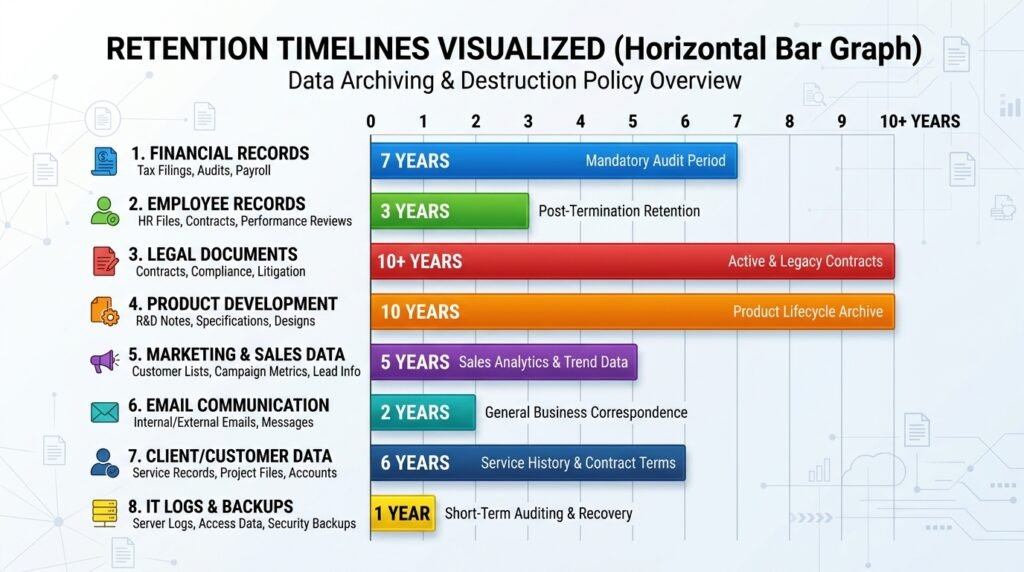
Different records have different retention periods. This is where many carriers make costly mistakes. They either destroy records too early or keep everything forever in a disorganized mess.
The table below shows DOT document retention periods based on current federal motor carrier safety regulations.
| Record Type | Minimum Retention Period | CFR Reference |
|---|---|---|
| Driver qualification files | Employment + 3 years after driver leaves | 49 CFR 391.51 |
| Driver application for employment | Employment + 3 years after driver leaves | 49 CFR 391.51 |
| Annual MVR review | Employment + 3 years after driver leaves | 49 CFR 391.51 |
| Hours of service / ELD records | 6 months | 49 CFR 395.8 |
| HOS supporting documents | 6 months | 49 CFR 395.11 |
| DVIRs (daily inspection reports) | 3 months | 49 CFR 396.11 |
| Annual vehicle inspection report | 14 months (until next inspection + 1 month) | 49 CFR 396.21 |
| Vehicle maintenance records | Control period + 1 year after disposal | 49 CFR 396.3 |
| Accident register | 3 years from accident date | 49 CFR 390.15 |
| Positive drug/alcohol test results | 5 years | 49 CFR 382.401 |
| Negative drug/alcohol test results | 1 year | 49 CFR 382.401 |
| Drug/alcohol test refusal records | 5 years | 49 CFR 382.401 |
| Drug/alcohol training records | Employment + 2 years | 49 CFR 382.401 |
Current average cost of DOT physical exam (March 2026) ranges from $60-$150 across U.S. clinics, $90-$130 average providers, up to $200+ specialized services.
Important: These are minimum retention periods. Many compliance experts recommend keeping records longer than required. Longer retention protects you in lawsuits and repeat audits. The driver file retention period of 3 years after departure, for example, is a minimum — not a maximum.
Quick Tips for Managing Retention Periods
- Mark every file with a “retention expiration date” so you know when you can safely destroy it.
- Never destroy a record while any legal claim, audit, or investigation is pending.
- Keep accident records and driver files longer than the minimum if your attorney advises it.
Electronic vs. Paper: What the FMCSA Allows
Good news for modern carriers. The FMCSA allows electronic records for most transportation recordkeeping. You do not need filing cabinets full of paper to stay compliant. But digital storage must meet specific standards.
FMCSA Electronic Storage Requirements
To store records electronically, your system must meet these conditions:
- Allow authorized FMCSA personnel to access records during audits
- Produce readable printouts of any document on demand
- Protect files from accidental deletion or unauthorized changes
- Include backup systems to prevent data loss
- Maintain records for the full required retention period
- Keep records in a format that is easy to read and search
Cloud-based fleet management systems meet most of these storage requirements. Many carriers now use software that automatically stores ELD data, DVIRs, and driver files in digital format.
When Paper May Still Be Needed
Some documents may still require original paper copies or verified reproductions:
- Signed medical examiner’s certificates
- Original signed driver applications
- Certain drug and alcohol testing chain-of-custody forms
Check with your compliance software provider to confirm which records they store digitally and which ones still need physical copies.
Why Digital Beats Paper for DOT Audit Preparation
Electronic records make DOT audit preparation much faster and smoother. You can search, sort, and pull files in seconds. Paper systems often lead to lost documents, misfiled records, and slow response times during audits.
Digital storage also solves the space problem. A mid-size fleet with 50 drivers generates thousands of pages per year. Storing all of that on paper takes up serious office space and makes retrieval slow.
7 DOT Recordkeeping Mistakes That Cause Violations
Trucking records compliance failures follow predictable patterns. These are the mistakes FMCSA auditors see over and over again.
1. Missing annual MVR reviews. You must pull a fresh MVR for every driver each year and review it. Many carriers forget this requirement after the initial hiring process.
2. Expired medical certificates. A driver’s medical card must be current at all times. If it expires and you do not catch it, the driver’s qualification file is immediately incomplete.
3. Using a generic job application. The DOT driver application requires specific information that a standard job application does not cover. Using the wrong form is a common and easy-to-avoid violation. Read the full application requirements in our DOT driver application guide.
4. Destroying records too early. Some carriers delete HOS records after 3 months instead of the required 6 months. Others shred driver files the day a driver leaves instead of storing them for 3 more years.
5. No written vehicle maintenance plan. The FMCSA requires a documented systematic maintenance plan. Performing maintenance without a written plan on file counts as a recordkeeping violation.
6. Applying one retention rule to everything. Different records have different deadlines. Using a single rule for all documents creates compliance gaps that auditors will find.
7. No backup for electronic records. If your ELD system crashes and you have no backup, those records are gone. The FMCSA will not accept “our system went down” as an excuse for missing data.
Prepare Your Records for a DOT Audit
A DOT audit can happen at any time. The FMCSA may schedule a compliance review in advance, or investigators may show up at your door without warning. Your records need to be ready before the auditor arrives — not after.
What Auditors Check First
During a compliance review, FMCSA auditors typically examine these areas in order:
- Driver qualification files (completeness and accuracy)
- Hours of service records (violations, gaps, and falsification)
- Drug and alcohol testing program records
- Vehicle maintenance and DOT inspection records
- Accident history and documentation
- General compliance factors (insurance, authority, DOT number)
Auditors will request specific documents and expect you to produce them quickly. Delays and disorganization raise red flags and often lead to deeper investigations.
Your DOT Audit Preparation Checklist
Use this trucking compliance checklist to make sure your records are ready:
- Pull every active driver’s qualification file. Check for missing documents.
- Verify all medical certificates are current and match the FMCSA National Registry.
- Confirm annual MVR reviews are complete and signed for each driver.
- Check that your last 6 months of HOS and ELD records are stored and accessible.
- Review DVIRs from the past 3 months. Look for unsigned or incomplete reports.
- Confirm drug and alcohol testing records are organized by driver and test type.
- Update your accident register with all qualifying accidents from the past 3 years.
- Verify vehicle maintenance records are current for every truck and trailer in your fleet.
- Make sure your DOT number, insurance certificates, and operating authority are on file.
- Test your electronic systems to confirm you can search, retrieve, and print records within minutes.
For a complete walkthrough of what happens during an audit and how to respond, read our DOT audit guide.
Pro Tip: Run an internal mock audit at least every 6 months. This helps you find and fix gaps before the FMCSA finds them for you. Treat each self-audit as if a real investigator were in the room.
What Happens When Records Are Missing
Failing to produce required records during an audit carries real consequences:
- Fines per violation: Current maximum per-violation fine from FMCSA 2025 penalty schedule (effective 2026) is $23,647 for motor carriers (e.g., out-of-service order violations), $19,246 for HOS violations, up to $29,221 per day for operations during suspension.
- Unsatisfactory safety rating: Multiple failures can downgrade your safety rating, which affects your ability to operate and win contracts.
- Out-of-service orders: Serious gaps can result in drivers or vehicles being placed out of service immediately.
- Operating authority revocation: Repeated non-compliance can lead to the loss of your motor carrier authority.
Poor records also hurt your CSA scores. Every violation shows up in the FMCSA’s public safety database and can drive your insurance premiums higher. Learn how the scoring system works in our CSA score guide.

Build a Recordkeeping System That Works
A solid recordkeeping system does not have to be complicated. It just has to be organized, consistent, and accessible when you need it. Here is how to set one up step by step.
Step 1: Choose Your Storage Method
Decide whether you will use paper, electronic, or a hybrid system. Most modern carriers use digital systems because they are faster to search and take up no physical space. If you go digital, pick a platform that meets FMCSA electronic storage requirements and can produce printouts on demand.
Step 2: Create a Clear File Structure
Organize records into categories that match FMCSA audit areas:
- Driver files — One folder per driver with all qualification documents
- Vehicle files — One folder per unit with maintenance, inspection, and registration records
- HOS records — Organized by driver name and date range
- Drug and alcohol files — Stored separately in a confidential, limited-access location
- Accident records — Organized by date with all supporting documents attached
- Company documents — Insurance, operating authority, DOT number, and correspondence
Step 3: Set Retention Alerts
Use calendar reminders or software notifications for key deadlines:
- Annual MVR pull dates for each driver
- Medical certificate expiration dates
- Record destruction dates (when minimum retention periods end)
- Annual vehicle inspection due dates
- Random drug testing selection windows
Step 4: Assign Clear Responsibility
Someone on your team must own the DOT recordkeeping process. For small carriers, this might be the owner-operator. For larger fleets, hire a dedicated compliance manager or partner with a third-party compliance service.
No matter who handles it, document the process itself. Write down who does what and when. This protects your company if the person responsible leaves or is unavailable during an audit.
Step 5: Back Up Everything
Keep backups of all electronic records in a separate location. Use cloud storage with automatic daily backups. For any remaining paper records, scan the most critical documents and store digital copies as a safeguard.
A strong recordkeeping system is the backbone of your entire DOT compliance program. It saves you time during normal operations, reduces stress during audits, and protects your business from costly penalties.
According to the FMCSA’s safety and compliance resources, carriers who maintain organized records consistently receive better safety ratings during compliance reviews.
Frequently Asked Questions
You must keep a driver’s qualification file for the entire time they work for you, plus 3 years after they leave. This rule comes from 49 CFR 391.51. After the 3-year driver file retention period ends, you may destroy the file. However, many carriers choose to keep files longer for legal protection in case of future claims.
The FMCSA expects you to have backup systems in place to prevent this situation. If you do lose records, contact the FMCSA to report the loss and begin recreating files immediately. Document your recovery efforts in writing. Not having a backup system is itself a compliance failure that can result in violations.
Yes. The FMCSA allows electronic storage for most records. Your system must produce printouts on demand, protect files from loss or unauthorized changes, and allow FMCSA access during audits. Some original signed documents, such as medical certificates and certain testing forms, may still require paper copies or verified reproductions.
Auditors typically start with driver qualification files and hours of service records. These two areas have the highest number of common violations. They will also review drug and alcohol testing files, vehicle maintenance documentation, and your accident register. Having these five categories organized gives you the strongest foundation for any review.
Yes. FMCSA recordkeeping regulations apply to all motor carriers regardless of size. If you operate a commercial motor vehicle under your own authority, you must maintain the same types of records as a 500-truck fleet. The only difference is volume. An owner-operator has fewer files to manage, but every required document must still be present.
Run an internal compliance review at least every 6 months. Check driver files for missing or expired documents. Verify that retention periods are being followed. Test your ability to pull and print any record within a few minutes. Regular self-audits help you catch and fix problems long before the FMCSA shows up at your door.
Conclusion
DOT recordkeeping is not optional and it is not a one-time task. It is a daily, ongoing requirement for every trucking company operating in the United States. The FMCSA expects you to create specific records, store them for set periods, and produce them on demand during any compliance review.
Start by learning what records you need. Build a simple, organized filing system that matches FMCSA audit categories. Set automated reminders for critical deadlines like annual MVR reviews and medical certificate renewals. Assign someone on your team to own the process. Run self-audits at least twice a year.
The carriers that pass DOT audits without stress are the ones with solid DOT recordkeeping systems already in place. They do not scramble to find documents when an investigator arrives. They pull the file, hand it over, and move on.
Take action today. Review your current records against the retention table in this guide. Identify and fill any gaps. Your DOT recordkeeping system is the backbone of your entire compliance program — and the best insurance policy your business can have.
Record Retention Guide







![DOT Drug Test: What You Must Know in 2026 [Full Guide]](https://compliantdriversprogram.com/wp-content/uploads/2026/03/DOT-Drug-Test-150x150.jpeg)



Leave a Reply