
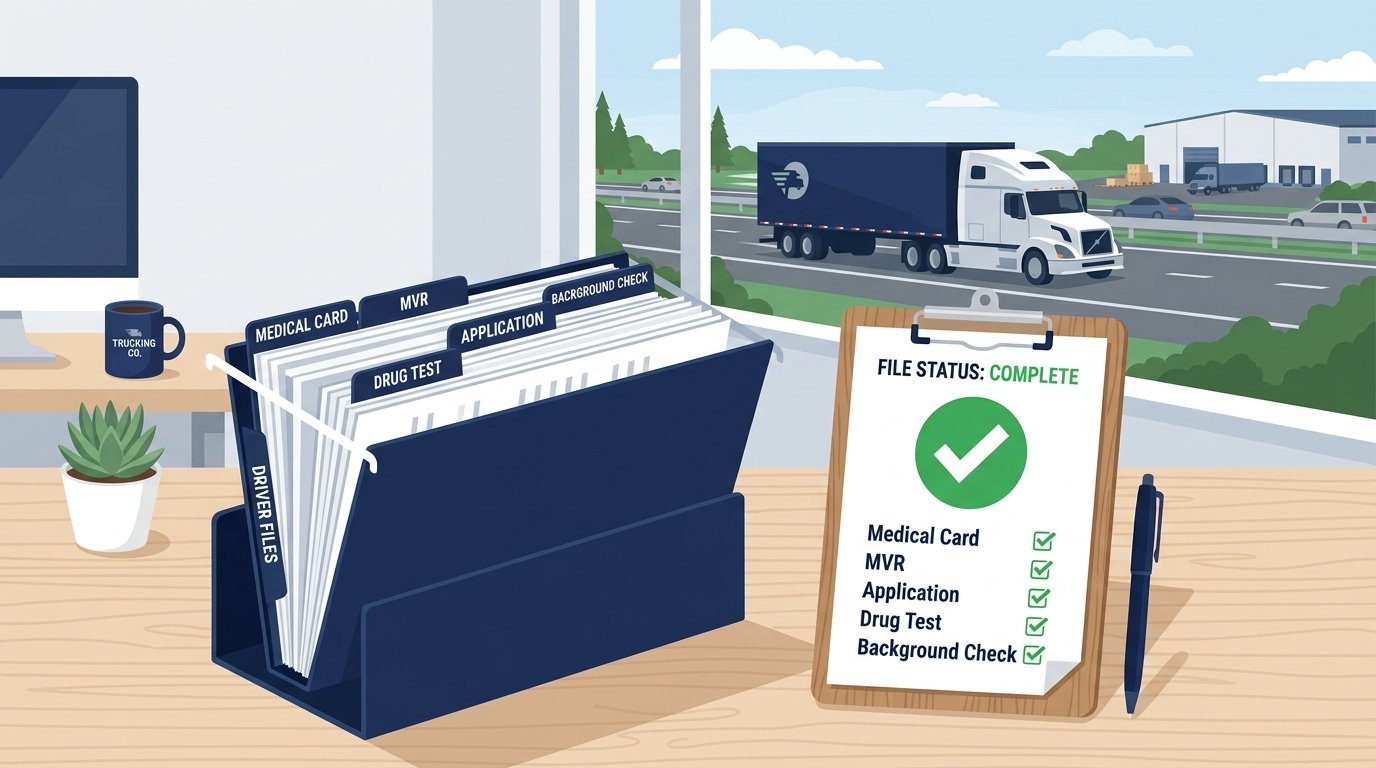
One missing document in your driver qualification file can cost you thousands in fines. Even worse, it can shut down your trucks during a DOT audit. Yet many carriers still scramble to piece together their DQ files at the last minute.
This guide breaks down everything you need to know about building, managing, and maintaining a compliant DOT driver qualification file in 2026. Whether you run one truck or a hundred, this article is for you. Fleet managers, owner-operators, and safety directors will all find clear, actionable steps here.
Key Takeaways
- A driver qualification file contains at least 10 required documents per FMCSA regulations.
- Every motor carrier must keep a current DQ file for each CDL driver they employ.
- Missing or outdated files can trigger fines ranging from $1,000 to $16,000 per violation.
- Most documents have specific retention periods you must follow.
- Keeping your files audit-ready protects your CSA score and operating authority.
What Is a Driver Qualification File?
A driver qualification file is a collection of required documents that proves a commercial driver is fit to operate a CMV. Federal law requires every motor carrier to maintain one for each driver.
Think of it as a driver’s permanent record. It holds everything from their job application to their medical certificate. The FMCSA spells out exactly what belongs in each file under 49 CFR Part 391.
The purpose is simple. These files prove your drivers meet minimum safety standards. They also prove you did your homework before putting someone behind the wheel of an 80,000-pound truck.
Without a proper DQ file, you are not compliant. Period. A DOT auditor can review these files at any time. If yours are incomplete, expect violations and penalties.
If you are new to DOT compliance, start with our guide on DOT compliance for trucking for a broader overview.
Who Needs to Maintain DQ Files?
Every motor carrier operating commercial motor vehicles (CMVs) in interstate commerce must maintain DQ files. This rule applies regardless of fleet size.
Here is who this includes:
- Trucking companies with one or more CDL drivers
- Owner-operators who lease onto a carrier
- Private carriers using trucks for their own business
- Passenger carriers operating buses or vans
- Hazmat carriers transporting dangerous goods
Does an Owner-Operator Need a DQ File?
Yes. If you hold your own operating authority, you must keep a DQ file on yourself. If you lease onto another carrier, that carrier must maintain your file.
This catches many small operators off guard. Even a single-truck operation needs a complete CDL driver file on record.
What About Part-Time or Occasional Drivers?
Any driver who operates a CMV for your company needs a file. It does not matter if they drive once a week or five days a week. The moment they get behind the wheel, they need a qualifying file.
Driver Qualification File Requirements for 2026
The FMCSA driver qualification file requirements have not changed dramatically in recent years. However, 2026 brings continued enforcement focus on a few key areas.
Here is what regulators are watching closely this year:
- Clearinghouse queries – Every carrier must run a full query on each driver at least once a year. Pre-employment queries are also mandatory. Learn more in our FMCSA Clearinghouse guide.
- Medical certificate verification – The medical examiner’s certificate must be current and match the FMCSA National Registry.
- Drug and alcohol records – Previous employer checks now include Clearinghouse records alongside traditional verification.
- Entry-level driver training (ELDT) – Drivers who obtained their CDL after February 7, 2022, must have ELDT records on the Training Provider Registry.
Important: The FMCSA Clearinghouse has become a central compliance tool. Failing to run required queries is one of the fastest-growing violation categories in DOT audits.
Complete DOT Driver File Checklist
This is the core of the article. Below is every document that belongs in a compliant DOT driver qualification file. Use this as your DOT driver file checklist for 2026.
1. Driver Application for Employment
Every DQ file starts here. The application must meet the requirements of 49 CFR 391.21. It must include:
- The driver’s full name and address
- Date of birth
- Three years of employment history
- Driving experience and training
- Accident history for the past three years
- Traffic violations in the past 12 months
- List of all states where the driver has held a license
The application must be signed by the driver. Gaps in employment history must be explained. For a detailed walkthrough, check our guide on DOT driver application requirements.
2. Motor Vehicle Record (MVR)
You must obtain an MVR from every state where the driver held a license in the past three years. This must happen before the driver starts working for you.
After hiring, you must pull a fresh MVR at least once every 12 months. Each annual MVR must be reviewed and signed by a company official.
Get the full details in our MVR record check for CDL article.
3. Annual Review of Driving Record
This is a separate document from the MVR itself. Your company must complete a written review of each driver’s record every year. The review must:
- Consider the MVR and any violations
- Determine if the driver meets minimum standards
- Be signed and dated by the reviewer
Many carriers confuse pulling the MVR with completing the annual review. They are two different requirements. You need both.
4. Road Test Certificate or Equivalent
Before a driver operates a CMV for your company, they must pass a road test. The examiner must complete and sign a road test certificate (Form MCSA-5767 or equivalent).
A valid CDL can serve as a substitute for the road test in most cases. If you use the CDL as the equivalent, document it in the file.
5. Medical Examiner’s Certificate (DOT Medical Card)
Every CDL driver must carry a valid DOT medical card. A copy belongs in the DQ file. The certificate must come from a medical examiner listed on the FMCSA National Registry of Certified Medical Examiners.
Medical cards are valid for up to 24 months. Some drivers receive shorter certification periods based on health conditions. You must track expiration dates closely.
Learn what to expect during the exam in our DOT physical exam guide. You can also read more about the DOT medical card requirements.
6. Previous Employer Safety Performance History (SPH)
You must investigate each driver’s safety record with previous employers. This covers the past three years. The investigation must include:
- Accident history
- Drug and alcohol test results
- Whether the driver was subject to any FMCSA violations
You have 30 days from the hire date to send investigation requests. Previous employers must respond within 30 days of receiving your request. Document all attempts, even if a former employer does not respond.
7. Drug and Alcohol Testing Records
Your DQ file must include proof that the driver meets all DOT drug test requirements. Required records include:
- Pre-employment drug test – Negative result before first drive
- FMCSA Clearinghouse query – Pre-employment full query
- Annual Clearinghouse query – Limited query each year
- Random testing enrollment – Proof of inclusion in a random pool
- Return-to-duty records – If applicable
You do not store the actual lab results in the DQ file. Those stay with your designated employer representative (DER) or consortium. But you must have documentation showing each requirement was met.
8. Annual List of Violations or Certificate of No Violations
Each year, every driver must give you a signed statement. It lists all traffic violations from the past 12 months. If they had none, they sign a certificate of no violations instead.
This is separate from the MVR. It comes directly from the driver. You must have it on file within the first month of each year.
9. Skill Performance Evaluation (SPE) Certificate
This only applies to drivers who have a physical condition that would normally disqualify them. If a driver has an SPE exemption from the FMCSA, the certificate must be in the file.
Most drivers will not have one. But if yours does, it is a critical document.
10. Entry-Level Driver Training (ELDT) Certificate
Drivers who earned their CDL or upgraded it after February 7, 2022, must have proof of ELDT completion. You can verify this through the FMCSA Training Provider Registry.
This is a newer requirement that many carriers overlook. Check it before hiring any driver who recently obtained their CDL license.
Quick-Reference DQ File Checklist Table
| Document | When Required | Renewal Frequency |
|---|---|---|
| Driver application (signed) | Before hire | One-time |
| MVR (from each state) | Before hire | Annually |
| Annual driving record review | After hire | Every 12 months |
| Road test certificate or CDL equivalent | Before driving | One-time |
| Medical examiner’s certificate | Before driving | Every 24 months (or less) |
| Previous employer SPH investigation | Within 30 days of hire | One-time |
| Pre-employment drug test (negative) | Before first drive | One-time |
| Clearinghouse pre-employment query | Before hire | One-time per hire |
| Clearinghouse annual query | After hire | Every 12 months |
| Annual list of violations | After hire | Every 12 months |
| ELDT certificate (if applicable) | Before hire | One-time |
| SPE certificate (if applicable) | Before driving | As issued |
Medical cards are valid for up to 24 months if the driver is in good health with no underlying conditions. Some drivers receive shorter certification periods based on health issues, and you must track expiration dates closely.
A temporary FMCSA waiver, extended through April 10, 2026, allows paper copies of the medical examiner’s certificate to be used in DQ files and carried by drivers for up to 60 days after issuance while states transition to electronic medical certification updates.
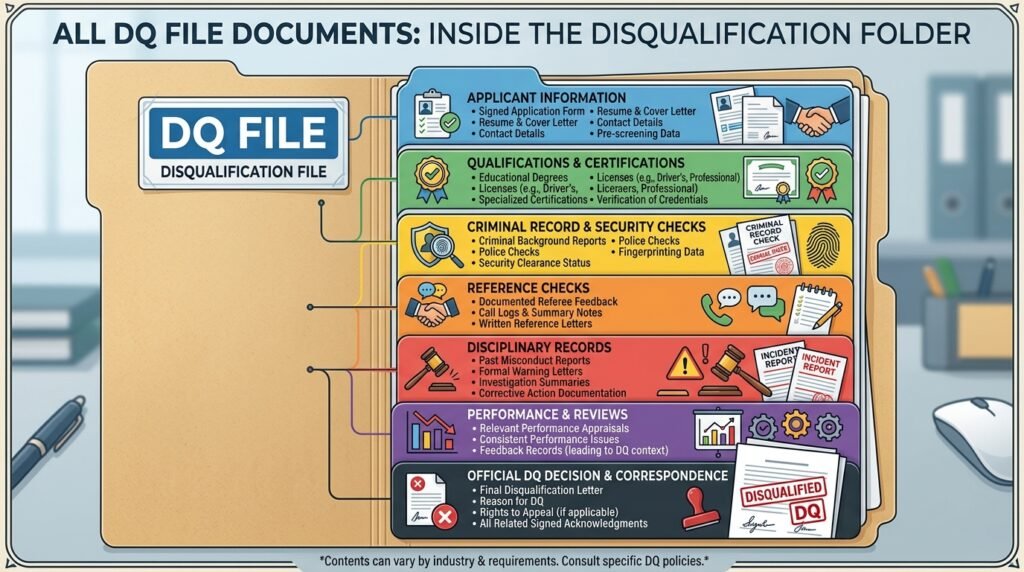
Document Retention Periods
Not every document stays in the DQ file forever. The FMCSA sets specific document retention rules. Knowing these keeps your files lean and compliant.
While the Driver Works for You
Keep all documents current and updated in the file for the entire time the driver is employed. Replace expired medical cards with new ones. Add each year’s MVR and annual review.
After the Driver Leaves
Once a driver stops working for you, retention rules vary by document:
| Document | Retention After Separation |
|---|---|
| Driver application | 3 years |
| MVRs | 3 years |
| Annual driving record reviews | 3 years |
| Medical examiner’s certificate | 3 years |
| Road test certificate | 3 years |
| Previous employer investigation | 3 years |
| Drug and alcohol records | 5 years (some records longer) |
| Annual list of violations | 3 years |
For a deeper dive into what you must keep and for how long, visit our DOT recordkeeping requirements page.
Warning: Destroying records too early is a violation. When in doubt, keep the file longer than required.
How to Build an Audit-Ready DQ File
Being audit ready is not something you do the night before an auditor shows up. It is a daily habit. Here is how to build files that pass inspection every time.
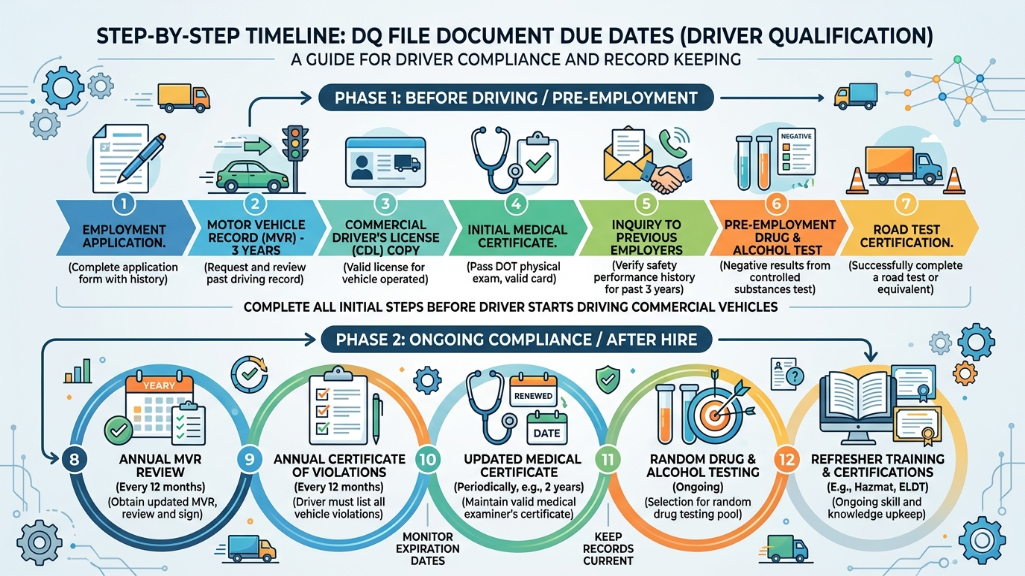
Step 1: Start Before the First Day
Do not let a driver behind the wheel until these items are complete:
- Signed application on file
- MVR pulled from all relevant states
- Pre-employment drug test result – negative
- FMCSA Clearinghouse full query – clear
- Medical card on file and current
- Road test certificate or CDL copy
Step 2: Complete the 30-Day Items
Within 30 days of hire, finish these:
- Send previous employer investigation requests
- Document all contact attempts
- Record responses (or non-responses)
Step 3: Set Up Annual Reminders
Create a calendar system for:
- MVR pulls (every 12 months)
- Annual driving record reviews
- Annual Clearinghouse limited queries
- Driver’s annual violation list
- Medical card renewals
Step 4: Audit Your Own Files Quarterly
Pull five random files each quarter. Check them against the compliance checklist. Fix gaps immediately. This simple habit prevents small problems from becoming audit failures.
If you want to know what happens when an auditor arrives, read our DOT audit guide.
Common DQ File Mistakes That Trigger Fines
DOT auditors see the same errors over and over. Here are the most common DQ file mistakes and how to avoid them.
Missing or Expired Medical Cards
This is the number one violation. Drivers forget to renew. Carriers forget to check. The fix is simple: track every expiration date and set alerts 60 days in advance.
If your drivers have health concerns like sleep apnea, they may need more frequent exams. Read our article on sleep apnea and CDL to understand the rules.
Incomplete Employment Applications
Applications missing employment gaps, signature, or required fields are a red flag. Use a standardized form that matches 49 CFR 391.21. Review every application before filing it.
No Previous Employer Investigations
Skipping the safety performance history check is a serious violation. Even if a previous employer does not respond, you must document your attempts. Keep copies of letters, emails, and fax confirmations.
Outdated MVRs
Your MVR is only good for 12 months. An MVR from 14 months ago is a violation. Set up a system that automatically flags when annual MVRs are due.
Skipping the Clearinghouse Query
Since January 2020, pre-employment full queries are mandatory. Annual limited queries became required for all drivers starting in 2023. Missing these queries is a growing source of fines in 2026.
No Annual Review of Driving Record
Pulling the MVR is only half the job. You must also complete a written review. An MVR sitting in the file without a signed review is incomplete.
Fines You Could Face
| Violation Type | Approximate Fine Range |
|---|---|
| No DQ file on record | $1,000 – $16,000 per driver |
| Missing medical card | $1,000 – $5,000 |
| No previous employer check | $1,000 – $5,000 |
| Missing Clearinghouse query | $1,000 – $5,000 |
| Incomplete application | $1,000 – $5,000 |
Fines for DQ file violations in 2026 typically start at $1,000 per violation per driver and can reach $5,000-$16,000 depending on severity, with single audits potentially exceeding $50,000-$125,000 for larger fleets with multiple issues.
Common violations like missing medical cards, incomplete applications, or skipped Clearinghouse queries fall in the $1,000-$5,000 range per instance. These ranges align with latest FMCSA enforcement data showing over 100,000 violations in 2025, emphasizing stricter audits on file completeness.
These fines add up fast. A fleet of 20 drivers with incomplete files could face six-figure penalties. Protect your business and your CSA score by keeping every file current.
Driver Qualification File Management: Paper vs. Digital
You have two options for managing your files: paper folders or digital systems. Both are legal. Each has clear pros and cons.
Paper-Based DQ Files
Pros:
- No software costs
- Simple for very small fleets
- Easy to understand
Cons:
- Hard to track expiration dates
- Vulnerable to fire, flood, or loss
- Difficult to share with auditors quickly
- Takes up physical storage space
Digital DQ File Management
Pros:
- Automatic expiration alerts
- Cloud backup protects against loss
- Instant access during audits
- Easy to organize and search
- Scales with your fleet
Cons:
- Monthly software costs
- Requires basic tech skills
- Must ensure data security
Which Should You Choose?
For fleets with five or more drivers, digital management pays for itself. The time saved on tracking renewals alone makes it worth the investment.
For solo owner-operators, a well-organized paper folder can work. Just be disciplined about checking dates and replacing expired documents.
No matter which method you use, the content must be identical. The FMCSA does not care about your filing system. They care about the required documents being present and current.
What Happens During a DOT Audit?
During a DOT audit or new entrant safety audit, DQ files are one of the first things reviewed. Here is what to expect.
The Auditor’s Process
- The auditor requests your list of active drivers.
- They select a sample of driver files to review.
- Each file is checked against the full DQ file requirements.
- Missing, expired, or incomplete documents are noted as violations.
- The auditor calculates a compliance rating.
How Files Affect Your Rating
Your safety rating depends heavily on DQ file compliance. A carrier with widespread file deficiencies can receive a Conditional or Unsatisfactory rating.
An Unsatisfactory rating can lead to a shutdown order. Your operating authority gets revoked until you fix the problems.
Tips for Audit Day
- Have all files organized and accessible
- Know where every document is located
- Assign one person to assist the auditor
- Do not volunteer information that is not requested
- Stay calm and professional
Understanding DOT regulations for truck drivers will help you prepare for every aspect of an audit.

Frequently Asked Questions
A driver qualification file is a set of federally required documents that motor carriers must maintain for each commercial driver. It proves the driver meets FMCSA safety and health standards. The requirements are outlined in 49 CFR Part 391.
Start by collecting a signed employment application, pulling the driver’s MVR, running a pre-employment drug test, completing a Clearinghouse query, and obtaining a copy of their medical card. These items must be in place before the driver operates a CMV.
A complete DQ file includes the driver application, MVR, annual driving record review, road test certificate, medical card, previous employer safety check, drug test records, Clearinghouse queries, and the annual list of violations. Some drivers may also need ELDT or SPE certificates.
Keep the file active for the entire time the driver works for you. After the driver leaves, retain most documents for at least three years. Drug and alcohol records require five years of retention.
Yes. The FMCSA allows electronic recordkeeping. Digital files must be accessible, secure, and available for review during audits. Many carriers use cloud-based driver qualification file management software.
You face fines that can range from $1,000 to $16,000 per violation. Repeated or widespread violations can result in a Conditional or Unsatisfactory safety rating and possible shutdown of operations.
Conclusion
Your driver qualification file is the backbone of your DOT compliance program. Every document matters. Every deadline counts.
Building a solid DQ file starts before you hire a driver and continues throughout their employment. Use the DOT driver file checklist in this guide to verify every file in your fleet. Set up systems to track renewals, pull MVRs on time, and run your Clearinghouse queries.
Do not wait for an auditor to find your gaps. Audit your own files quarterly. Fix problems before they become fines.
The rules are not complicated. They just require consistency. Stay on top of your DQ file requirements, and you will keep your trucks moving, your drivers legal, and your business protected.
Ready to strengthen your entire compliance program? Start by reviewing your files today. Visit the FMCSA regulations page for more guidance on staying compliant across every area of your operation.
DQ File Checklist Generator







![DOT Drug Test: What You Must Know in 2026 [Full Guide]](https://compliantdriversprogram.com/wp-content/uploads/2026/03/DOT-Drug-Test-150x150.jpeg)



Leave a Reply